
Built for housing teams that need clear evidence, consistent inspections and stronger visibility across resident-facing property workflows.
Trusted by councils and housing teams






Built for residential housing teams
From large registered providers to supported and temporary accommodation teams - configured to how your service operates.
Built for housing inspection and repairs workflows
Inventory Base can be configured around the inspection, evidence and reporting workflows used by housing associations and social housing teams.
Damp & Mould Inspections
Capture photos, severity notes, room conditions, resident comments, ventilation observations and follow-up actions.
Awaab's Law Response Workflows
Support structured evidence capture, timestamps, written findings, actions and inspection history for hazard response processes.
HHSRS-Style Assessments
Configurable templates for housing health and safety observations, hazard categories, ratings and recommendations.
Decent Homes Standard Checks
Record property condition against Decent Homes criteria, with evidence, hazard notes and the follow-up actions needed to bring a home up to standard.
Repairs Inspections
Document repair issues, photos, access notes, contractor requirements and priority levels.
Schedule of Rates
Link observations to Schedule of Rates items, standard repair codes, cost categories or contractor instructions.
Post-Works Inspections
Verify completed works with photos, sign-off notes, resident feedback and follow-up actions.
Voids & Lettable Standard
Record property condition, outstanding works and readiness before re-letting.
Disrepair & Complaint Evidence
Maintain structured records, report history and communication evidence connected to properties and residents.
Housing inspections need evidence, consistency and follow-through
Housing teams are under pressure to respond quickly, document clearly, coordinate contractors and keep residents informed. When inspection notes, photos, repair instructions and resident communication are spread across disconnected systems, it becomes harder to prove what happened, when it happened and what action followed. Inventory Base helps housing providers connect inspection evidence, repairs observations, follow-up actions and resident-facing records in one structured workflow.
Evidence is scattered
Photos, notes, emails and contractor updates can become separated from the property record.
Damp and mould needs urgency
Teams need consistent ways to record reports, inspections, findings, actions and follow-up.
Repairs can lose context
Contractors need clear instructions, but post-works evidence also needs to return to the housing record.
Reporting varies by team
Neighbourhood, repairs, compliance and contractor teams may all record issues differently.
Residents need clearer communication
Residents need updates, written findings and evidence of what has been recorded.
Managers need visibility
Housing managers need to see outstanding inspections, overdue actions, follow-ups and performance.
A clearer way to manage housing inspections and evidence
Capture evidence consistently
Record photos, notes, signatures, timestamps, resident comments and report history.
Standardise inspection workflows
Use templates for damp and mould, HHSRS-style checks, repairs, voids and post-works inspections.
Support timely response processes
Track findings, actions, priorities, due dates and follow-up activity.
Improve contractor accountability
Connect repair observations, Schedule of Rates items and post-works verification.
Keep residents informed
Share findings, reports and updates through controlled communication workflows.
Maintain audit-ready records
Keep evidence, activity history and report outputs connected to the property record.
Support damp, mould and Awaab's Law response processes
Use structured templates to capture reports of damp and mould, document inspection findings, record actions, track timings and maintain clearer evidence for resident-facing workflows.
Awaab's Law has increased expectations for social landlords to respond quickly and document action around hazards such as damp and mould. Inventory Base supports evidence capture, response workflows and audit-ready records.
Damp and Mould Templates
Create guided inspection templates for damp, condensation, mould, ventilation and related conditions.
Resident Report Record
Capture the reported issue, location, resident comments and date/time of notification.
Inspection Findings
Record observations, severity, affected rooms, contributing factors and supporting photos.
Timed Actions
Track investigation, follow-up, remedial work and written finding milestones.
Vulnerability Notes
Record relevant household or resident context where appropriate and permissioned.
Follow-Up Inspections
Schedule rechecks and post-remediation verification.
Written Findings
Generate clear report outputs that can support resident communication.
Evidence History
Maintain an inspection and action trail for the property.
Create structured HHSRS-style housing condition reports
Configure templates to support housing health and safety observations, hazard categories, property condition notes, photos, recommendations and follow-up actions.
Hazard Categories
Create configurable fields for hazard types and observations.
Room and Area Checks
Assess internal rooms, external areas, communal spaces and shared facilities.
Risk Observations
Capture severity, likelihood, priority or category fields where required.
Supporting Evidence
Attach photos, notes, comments and signatures to findings.
Recommendations
Record next steps, remedial actions or escalation notes.
Report Outputs
Create clear reports for internal teams, contractors, residents or stakeholders.
Connect inspection findings to repairs and Schedule of Rates
Turn observations into actionable repair requirements by linking findings to Schedule of Rates items, standard codes, contractor instructions and estimated costs where available.
Schedule of Rates Items
Select or reference standard repair items from approved rate schedules.
Repair Codes
Attach codes, categories or work types to inspection findings.
Contractor Instructions
Create clear work descriptions supported by photos and location details.
Cost Visibility
Use standard rates or estimated values where configured.
Contractor Allocation
Assign work to internal teams, contractors or approved providers.
Repair History
Keep inspection findings and repair activity connected to the property record.
Verify completed works with clear evidence
Use post-works inspections to confirm whether repairs have been completed, record resident feedback, capture photos and maintain a clear record of follow-up activity.
Before and After Photos
Compare original issue evidence with completed works.
Completion Checks
Confirm whether works meet expected standards.
Resident Feedback
Record resident comments or acknowledgement where appropriate.
Contractor Sign-Off
Capture contractor notes or completion evidence.
Outstanding Issues
Record defects, incomplete work or further actions.
Verification History
Maintain a post-works record connected to the original inspection.
Support voids, lettable standards and tenancy condition records
Housing teams can use Inventory Base to record property condition before re-letting, during occupancy and after works.
Void Inspections
Record condition, required works and readiness status.
Lettable Standard Checks
Use templates to confirm property readiness before occupation.
Move-In Records
Capture property condition, keys, meters and resident acknowledgement.
Tenancy Visits
Record property condition, vulnerabilities, support needs and maintenance observations where appropriate.
Move-Out Checks
Document condition changes, damage, repairs and re-let requirements.
Communal Area Checks
Inspect shared spaces, blocks, entrances and external areas.
Supporting more than compliance inspections
Beyond damp, mould and HHSRS-style workflows, housing teams use Inventory Base across the full range of residential condition and resident-facing records.
Keep residents and stakeholders informed
Share findings, reports and updates through controlled workflows that keep communication connected to the inspection record.
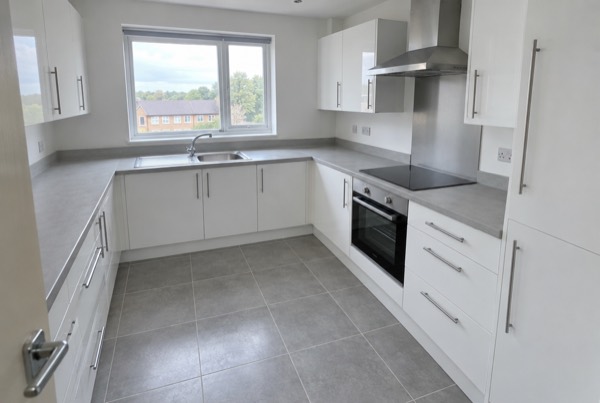
Capture evidence at the property
Use the mobile app to record photos, notes, inspection findings, signatures and follow-up requirements while teams are on-site.
Standardise inspections across housing teams
Use configurable templates, dictionaries and priority fields to create consistent inspection records across repairs, compliance, neighbourhood, voids and contractor teams.
Turn findings into follow-up actions
Record actions, assign responsibility and track what happens after an inspection.
Action Tracking
Create actions from inspection findings.
Priority Levels
Mark urgent, routine or planned follow-up.
Due Dates
Track time-sensitive inspection and repair workflows.
Assigned Owners
Assign actions to teams, contractors or providers.
Escalation Notes
Record where issues need further review or management attention.
Follow-Up History
Keep inspection, action and verification records connected.
Connect inspection records to your housing systems
Inventory Base can support connected workflows through integrations, Zapier and approved API access, helping inspection evidence and reporting data move between systems.




Control access across teams, contractors and regions
Housing providers need reliable permissions, controlled access and clear audit history across sensitive resident and property records.
Role-Based Permissions
Control who can view, edit, review and deliver reports.
Team and Region Access
Separate access by area, team, contractor or function.
Contractor Access
Give providers access to relevant jobs without exposing unnecessary data.
Report History
Maintain a record of report activity and changes.
Audit Trails
Keep evidence, timestamps, signatures and recipient activity connected.
Enterprise Onboarding
Support larger rollouts with configuration, training and account management.
Built for housing teams managing thousands of homes
Start with structured inspection workflows, then add scheduling, BaseAI, contractor workflows, post-works verification, integrations and analytics as your housing operation grows.
Everything housing teams need for inspection and reporting workflows
See example housing and specialist reports
Preview sample reports for condition inspections, compliance-style workflows, damp and mould evidence, post-works checks and specialist residential assessments.
HHSRS-style, damp & mould and post-works report examples are part of the ongoing sample report roadmap.