
AI-powered property reporting
BaseAI helps property professionals complete reports faster by turning photos, notes and inspection data into professional report content ready for review.
Built into Inventory Base, BaseAI supports inventory providers, letting agents, property managers and specialist providers with faster drafting, clearer descriptions and human-reviewed report workflows.


Built for property professionals, not generic AI
Residential Expertise
Designed around inventories, inspections and compliance reporting.
Human Approved
You stay in control of every report.
Secure by Design
Property data handled responsibly.
Continuously Improving
Built specifically for property reporting workflows.
How BaseAI works
BaseAI supports the reporting workflow by helping turn inspection evidence into clearer draft content, reducing repetitive writing and giving teams a faster starting point for professional reports.
Capture
Take photos, notes and inspection details inside Inventory Base.
Analyse
BaseAI helps interpret visual and written context from the inspection.
Draft
Generate condition descriptions, report content and summary text.
Review
Your team reviews, edits and approves the content.
Report
Use the final content in professional Inventory Base reports.
BaseAI helps draft report content. Your team stays in control of reviewing, editing and approving the final report.
Turn inspection photos into clearer condition descriptions
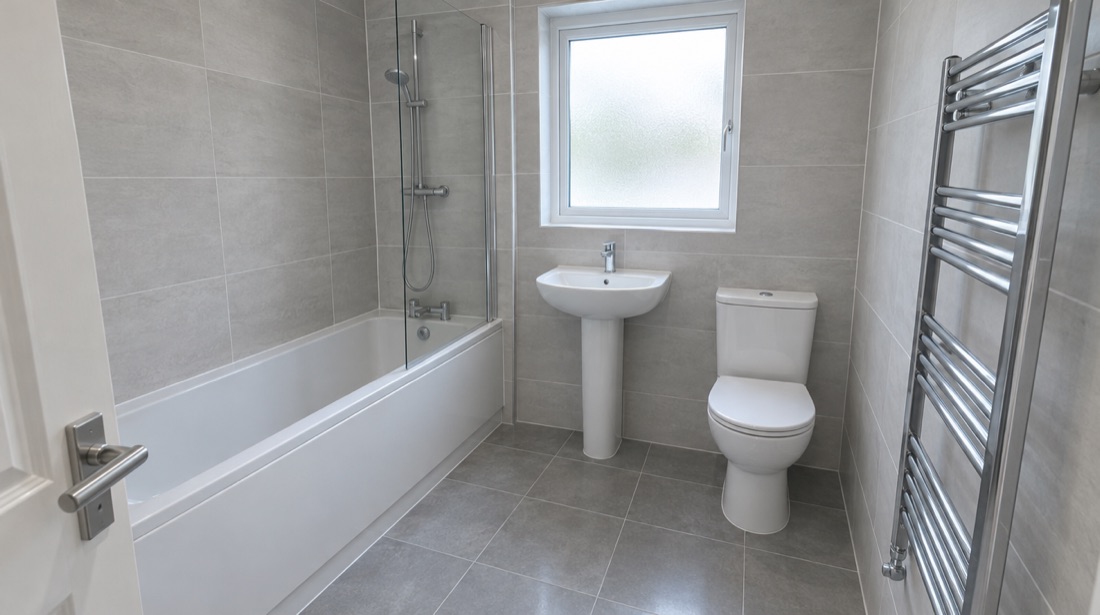
BaseAI helps analyse inspection photos and suggest descriptive report content based on visible property condition, fixtures, fittings, rooms and evidence captured during the inspection.
Photo-to-Description Support
Turn visual evidence into a useful first draft.
Room and Item Context
Support descriptions for rooms, fixtures, fittings, surfaces and contents.
Faster Drafting
Reduce repetitive manual writing after inspections.
Review Before Use
Every suggestion should be checked and approved by a person.
Use inspection context to complete report content faster
BaseAI helps turn notes, prompts and inspection data into professional report wording, giving teams a faster way to complete repetitive sections while keeping control of the final output.
Smart Fill
Complete report fields using inspection context.
Smart Rewrite
Improve rough notes into professional report wording.
Consistent Tone
Help teams keep descriptions clear, professional and consistent.
Less Repetition
Reduce time spent writing similar descriptions across rooms and items.
Template-Aware Drafting
Support content aligned with report templates and structured fields where configured.
Human Review
Keep final approval with the reporting professional.
Create client-ready overviews from inspection findings
BaseAI can help summarise key inspection findings into clear report overviews, giving clients and property teams a faster way to understand the main points of a report.
Client-Ready Overviews
Summarise key findings in plain, professional language.
Faster Report Completion
Generate a strong starting point for report summaries.
Clearer Communication
Help clients understand the most relevant observations.
Review and Edit
Edit the summary before the final report is shared.
BaseAI across your reporting workflows
BaseAI supports the report-writing process across common Inventory Base workflows.
Inventory Reports
Draft room, item and condition descriptions faster.
Check-Ins
Support move-in report content, condition notes and handover summaries.
Check-Outs
Help write clear end-of-tenancy condition observations and comparison notes.
Midterm Inspections
Summarise during-tenancy observations and maintenance notes.
Maintenance Reporting
Turn rough findings into clearer repair and action summaries.
Compliance Workflows
Support structured report drafting for compliance-aware inspection workflows, with professional review.
Your AI co-worker for inspections, bookings, templates and business insight
BaseAI Assistant brings a conversational co-working layer into Inventory Base. Ask questions about your data, create inspections or properties, process booking requests, update appointments, generate templates, surface business analytics and get practical feedback while you work.
Name your own BaseBot and use it as a permission-aware assistant that helps you move faster across everyday reporting and operational tasks, while keeping users in control of what gets created, changed or sent.
What BaseAI Assistant can help with
BaseAI Assistant is designed to help with the everyday work that surrounds property reporting - from finding answers to creating records and keeping bookings moving.
Ask questions about your data
Ask BaseBot about inspections, properties, clients, reports, bookings, workload, activity and performance without digging through dashboards or exports.
Create records from a conversation
Ask BaseBot to create new inspections, properties or related records from simple instructions, then review and confirm the details before anything is saved.
Turn booking messages into action
Help process inbound emails and SMS messages for new bookings, appointment changes, cancellations or client updates - turning unstructured messages into suggested actions.
Help keep bookings and diaries up to date
Identify appointment change requests, check relevant details and prepare updates to inspections, diaries or assigned team members.
Create and improve templates faster
Help generate new report templates, refine existing sections, suggest missing fields or adapt a template for a new workflow.
Ask for business insight without building a report
Surface operational and business analytics, from report volumes and overdue work to team productivity, client activity and workflow trends.
Get practical feedback and next-step suggestions
Review work in progress, highlight missing information, suggest next steps and point users toward useful workflows.
From message to action, with review in the middle
Ask or receive
A user asks BaseBot a question, or an inbound email or SMS is received.
Understand
BaseAI reads the context it has permission to access and identifies the likely task.
Suggest
BaseBot suggests an answer, action, draft, template, booking or record update.
Review
The user checks the details, edits where needed and confirms.
Create or update
Inventory Base creates the inspection, updates the appointment, drafts the reply or stores the template.
Keep a record
Actions are recorded where appropriate so teams can see what changed and why.
BaseBot answers and suggestions respect the user's permissions and only use data they are allowed to access. Creating or changing records includes a review step before anything is saved.
Things you could ask BaseBot
Designed to assist, not take over
BaseAI Assistant helps users work faster, but important actions stay reviewable and permission-controlled. Users can see suggested actions, check the details and confirm before records are created, updated or sent.
Permission-aware
BaseBot only accesses data and actions the user has permission to use.
Review before action
Creating or changing records requires a review step where appropriate.
Clear suggestions
BaseBot explains what it found and what it recommends doing next.
Human-approved outputs
Reports, templates, replies and updates are reviewed before they are finalised or sent.
Audit-friendly
Actions and updates are logged where possible so teams can see what changed.
Want to use BaseAI as a co-worker, not just a writing assistant?
Join the BaseAI Assistant waitlist or book a demo to see how BaseAI can help with reporting, bookings, templates, inbound messages and operational insight.
BaseAI pricing
BaseAI is available as an enhancement to Inventory Base workflows.
BaseAI availability may depend on your plan or usage. BaseAI Assistant availability, usage and pricing may depend on your account, plan and enabled features. Speak to the team to confirm the right setup for your workflow.
See BaseAI in action
Watch how BaseAI helps turn inspection photos, notes and report data into professional draft content ready for review.